

What it is
Omarchy 4 "Quattro" is a package-backed distribution: roughly four hundred
omarchy-* scripts, a Quickshell (Qt 6 / QML) desktop shell,
configs and themes, installed from its own pacman repository. None of it is
compiled code, so it is portable in principle. In practice its package
repository is x86_64 only, and a handful of dependencies have no ARM build.
Omarchy Pi closes that gap. It is an overlay on upstream with a
zero-patch policy: the patches/ directory is empty by
design, and everything the Pi needs is added alongside Omarchy rather than
edited into it. When upstream publishes aarch64 packages, the image will
switch to them automatically.
How the port works
Boot and graphics
Images are Arch Linux ARM with the 16K-page linux-rpi-16k
kernel (the 4K linux-rpi is the fallback for software that
breaks on 16K pages) and the Raspberry Pi firmware boot chain on a FAT32
partition. Graphics run on full KMS with Mesa's v3d driver and
vulkan-broadcom. Hyprland is held at integer scaling, because
fractional scaling black-screens on v3d, and PCIe is set to Gen 3 for NVMe.
An ARM package repository
A CI pipeline rebuilds everything Omarchy installs that is not already in
Arch Linux ARM and publishes it as a rolling [omarchy] pacman
repo on GitHub releases:
- architecture-independent packages rebuilt from the official PKGBUILDs;
- upstream arm64 binaries repacked, such as Chromium, LocalSend, Cursor and Claude Code;
- compiled from source in an ARM chroot, most importantly
quickshell-git— 2 h 40 min under emulation in CI, about 8 minutes natively on Apple Silicon.
Seven packages without an ARM build are skipped for now (among them
Obsidian, Pinta and gpu-screen-recorder), and LibreOffice, Kdenlive and OBS
are deferred. Mesa, Vulkan, libcamera for CSI cameras and
rpi-eeprom are added.
Install
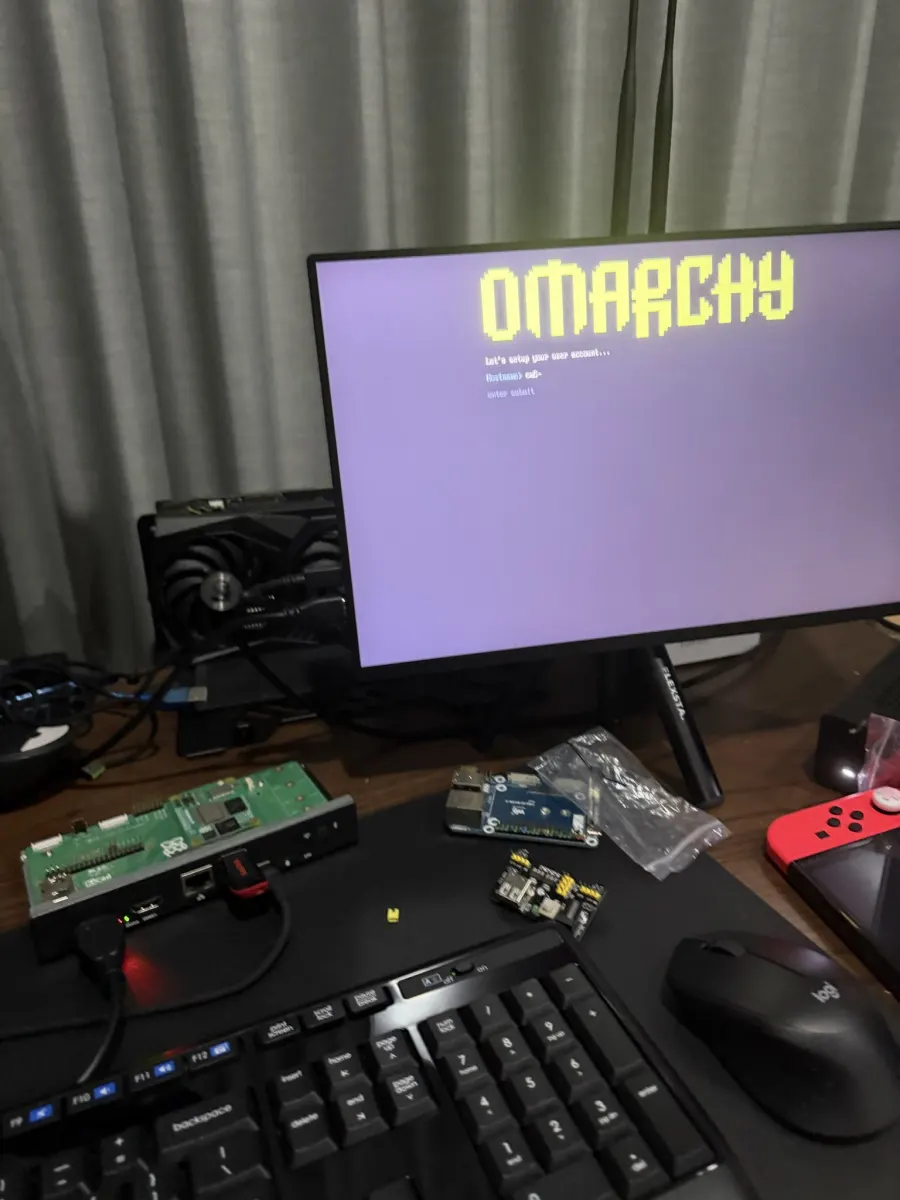
First boot runs Omarchy's own owner-provisioning on the console, grows the root partition and hands off to the login screen. Booted from a USB stick with an NVMe drive or eMMC present, it offers to clone itself onto internal storage, using disk tooling forked from omarchy-iso.
To flash the latest CM5 image:
cat omarchy-cm5.img.xz.part* > omarchy-cm5.img.xz
sha256sum -c SHA256SUMS
xz -dc omarchy-cm5.img.xz | sudo dd of=/dev/sdX bs=4M status=progress conv=fsync
Where it runs
| Hardware | Status |
|---|---|
| Raspberry Pi CM5 | Boots to a fully provisioned desktop on the official CM5 IO board (4.0.0rc5, kernel 6.18.44). Images build and verify in CI. |
| Raspberry Pi 5 | Same image and kernel as the CM5. |
| AYN Thor | Full Hyprland/Quickshell desktop across both screens, with touch, on-screen keyboard and gamepad setup. |
| VAIO P (CM5 carrier) | Not yet: the Koyomi DPI panel overlay is a placeholder in config.txt. |
On the AYN Thor
The same image pipeline builds for the AYN Thor, a dual-screen Snapdragon 8 Gen 2 handheld. Omarchy's Hyprland desktop spans both displays, and its pixel-block screensaver happily runs across the pair.
Known gaps
- The CM5 has no suspend in the current kernel and firmware.
- Omarchy's "performance" power profile is not supported; the image pins "balanced".
- Some jemalloc-based binaries need the 4K-page kernel.
Lessons from the build log
The trickiest failures were in the image, not the desktop:
genfstab leaking the build host's loop device into
/etc/fstab produced an image that passed checks but would not
boot, with root locked so it could not be repaired on the device; the
root-grow service raced /boot into emergency mode; and pacman's
sandbox needed care under qemu. verify-image.sh now fails the
build on all of them.