

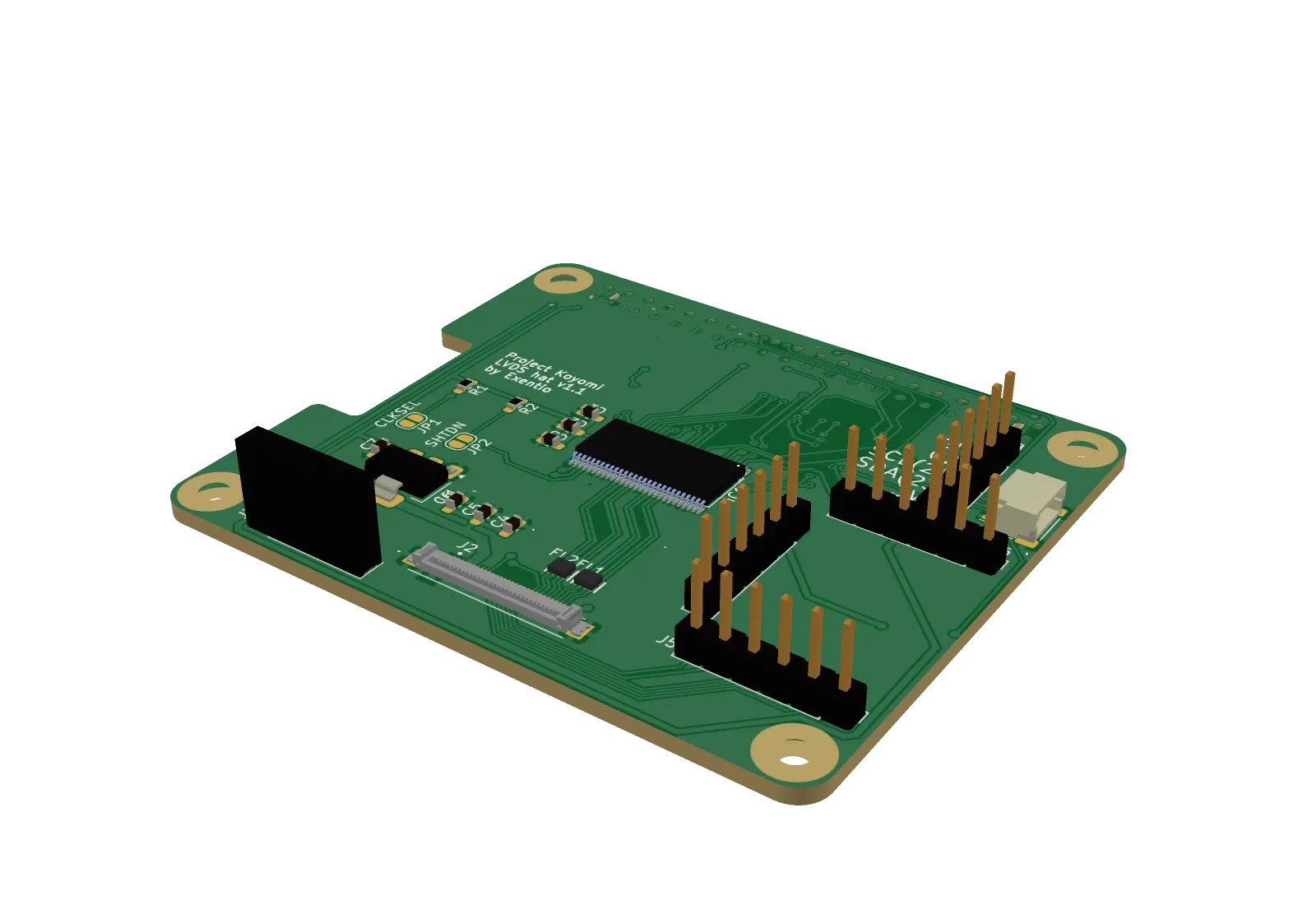
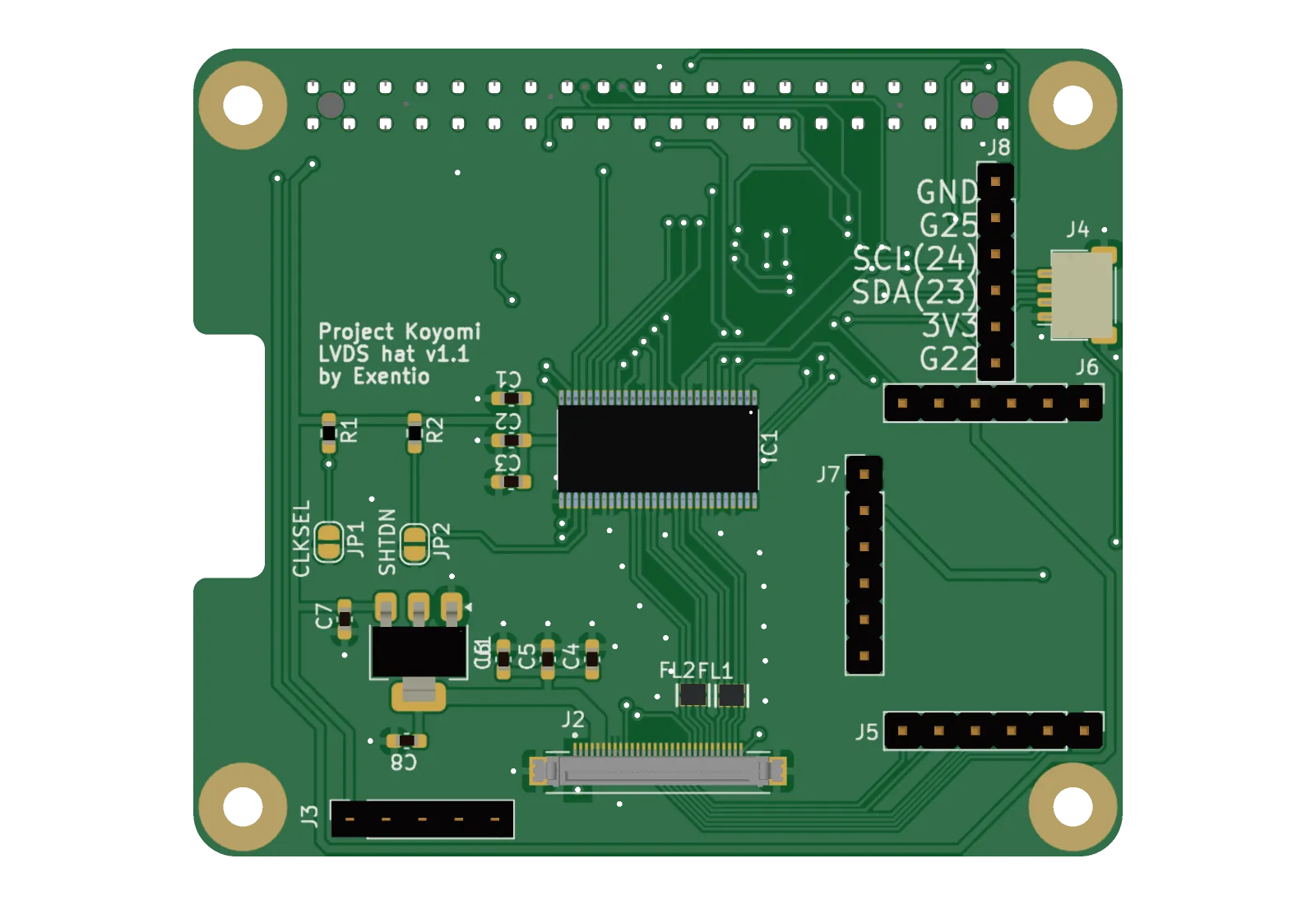
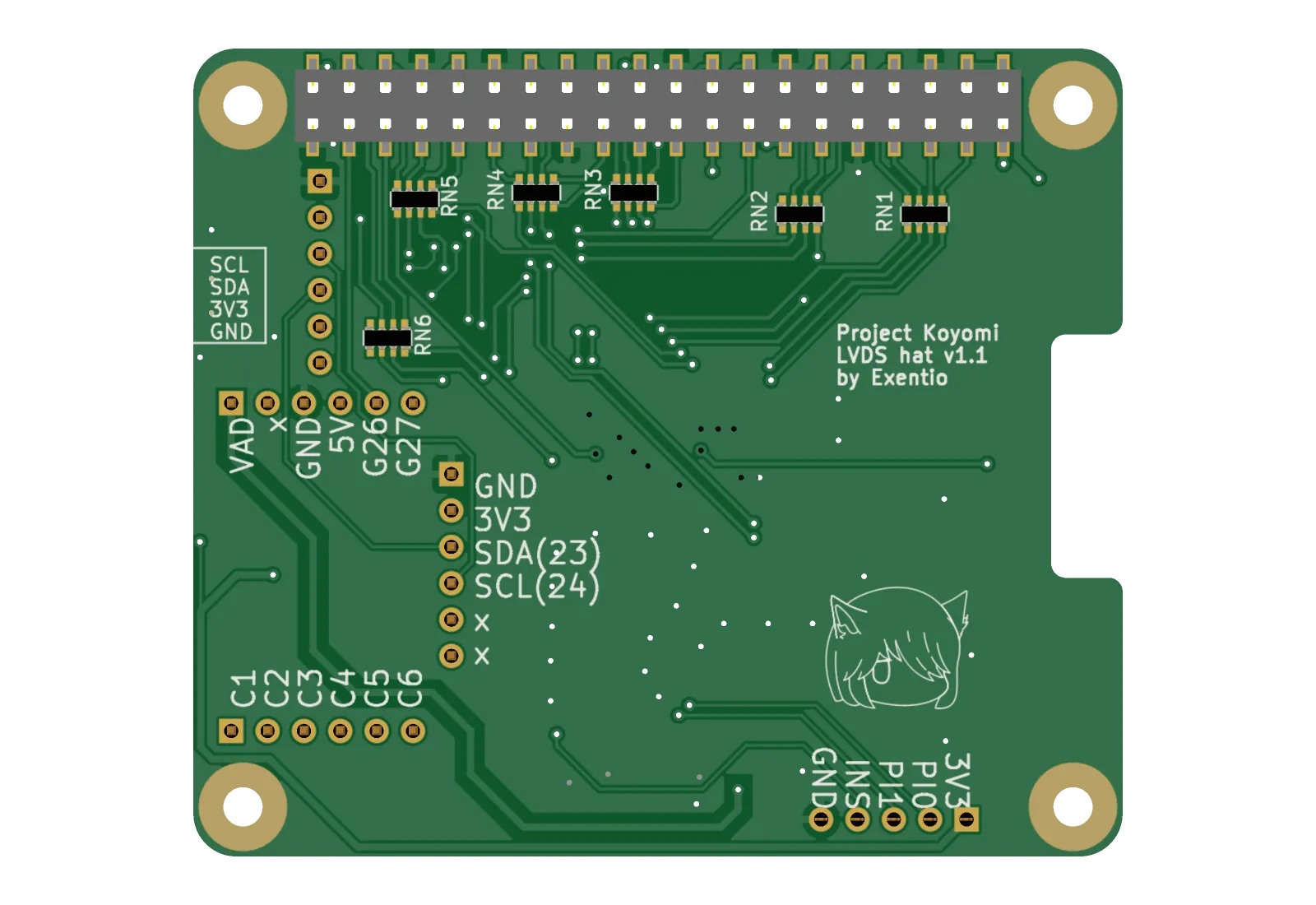
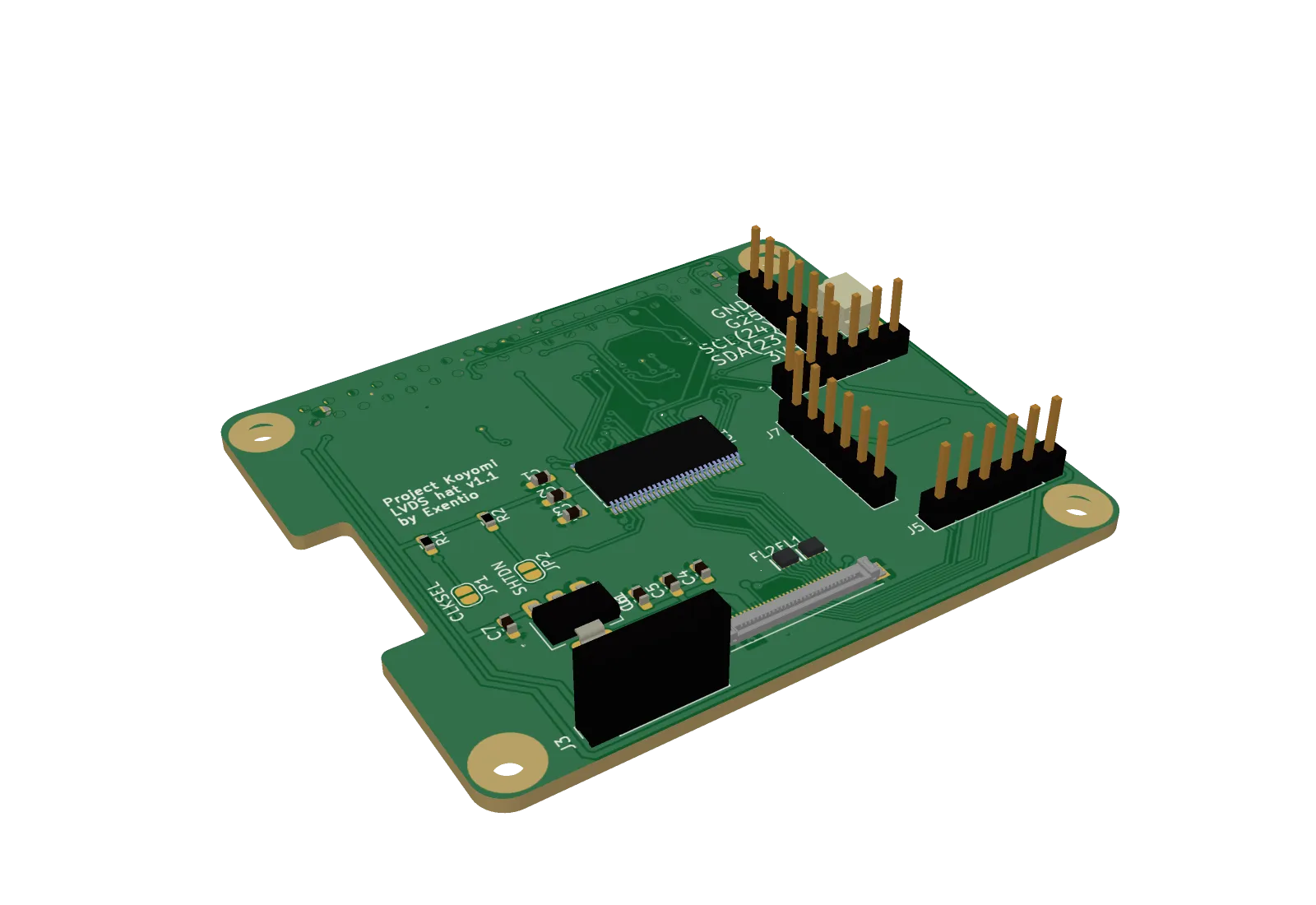
What it does
pcb23d reads a KiCad board and draws it in 3D: the board outline with cut-outs, copper, soldermask, silkscreen text and graphics, drill holes, and the parts on it. The same renderer runs in three places:
| Where | What you get |
|---|---|
| pcbto3d.com | A drag-and-drop page that renders in a Web Worker and never uploads your files. You can also paste a public GitHub repo; your browser fetches it from GitHub directly. |
| CLI | A pcb23d binary for Linux (x64, arm64), macOS (x64, arm64) and Windows (x64). |
| Library | A TypeScript package for Bun, Node 18+, Deno, Cloudflare Workers and browsers. |
| Share links | pcbto3d.com/img/gh/owner/repo is a page whose preview card is a 1200 × 630 render of the board. |
How it works
pcb23d doesn't need KiCad or a GPU, so the browser, the library and the CLI all share one code path. The pipeline is:
- Pick the board. In a zip, it chooses the
.kicad_pcbthat sits next to the.kicad_pro. - Parse. An S-expression parser reads the file into the outline from
Edge.Cuts, filled shapes for each layer, holes, and components. - Texture each side. A 2D compositor paints mask over substrate, copper under the mask as a lighter tint, the exposed finish in mask openings, silkscreen in KiCad's Newstroke font, and holes.
- Build the mesh. The outline, with its holes, is triangulated into a slab with earcut. Components are placed on it.
- Rasterize. A software z-buffer renderer draws the mesh with perspective-correct textures, flat lighting and supersampling, then encodes a PNG.
Real component models. A footprint's (model …) reference is matched to its mesh in
KiCad's 3D library. The mesh is fetched from pcbto3d.com/api/models, where a Worker converts each
library VRML file once and caches the compact mesh in R2. If that API can't be reached, pcb23d reads the file from
the GitHub mirror of kicad-packages3D. Models that live in the project (${KIPRJMOD} or relative
paths) are read from the zip, the repo or the local folder. STEP files are tessellated with OpenCascade compiled to
WebAssembly, which is loaded only when a board needs it. A footprint with no model is drawn as a box sized from its
fab outline and package name.
On the reference board (94 footprints, 1,300 tracks), parsing takes about 30 ms, textures and mesh about 140 ms, and three 1200 × 900 views about 700 ms in Bun.
How to use it
In the browser
Open pcbto3d.com. Drop a project .zip or a .kicad_pcb
file, paste a GitHub repo URL, or try the example board. Each view appears as soon as it has rendered.
From the command line
Download a binary from GitHub Releases, then:
pcb23d board.zip                              # top, bottom, angle → ./pcb23d-out/
pcb23d https://github.com/owner/repo          # a public GitHub repo
pcb23d hat.kicad_pcb --views all --mask black # every preset, black mask
pcb23d *.kicad_pcb -o renders --json          # batch, machine-readable summary
pcb23d hat.kicad_pcb --views hero=45/30/persp -w 2400 -h 1800
pcb23d board.zip --no-models                  # offline: boxes instead of models
The view presets are top, bottom, angle, angle-bottom,
front and side. For a custom view, write name=azimuth/elevation[/persp|ortho].
Mask colours take a name or a #rrggbb value.
As a library
import { renderPcb } from "pcb23d";

const result = await renderPcb(bytes, {
  views: ["top", "bottom", "angle"],
  width: 1600,
  height: 1200,
  maskColor: "black",
  copperFinish: "gold",
});
await Bun.write("top.png", result.images.top!.png);
The lower-level pieces, parseBoard, buildScene, renderMesh and
encodePng, are exported too. Use them to render many views from one scene or to draw into your own
canvas. The library's only dependencies are fflate and earcut.
As a link
pcbto3d.com/img/gh/owner/repo         # page with the render and og:image set
pcbto3d.com/img/gh/owner/repo.jpg     # the 1200 × 630 render (.png, ?view=top|bottom|front)
pcbto3d.com/img/gh/owner/repo/@v1.2   # pinned to a branch, tag or commit
Renders are stored in the R2 bucket pcb23d shares with PCB Fiddle, next to the board's git snapshot, so each commit is drawn once. PCB Fiddle uses the same image as its own link preview.
pcb23d doesn't draw inner copper layers or plated board edges yet, and holes have no barrel walls. Link renders
work only for .kicad_pcb boards. Eagle and EasyEDA projects open in PCB Fiddle, but the render
endpoint returns 404 for them.